A screen of its own.
Two small screens that read the Track Fly feed and keep to the dots: the playing one lifts out of the row. Install from Chrome or Edge in a minute, then set it up from your phone.
The touch bar.
Waveshare ESP32-S3-Touch-LCD-3.49: a 640×172 bar with a battery and a touchscreen.
One tap for controls
Previous, play/pause, next, and a row of dots that becomes the volume. A short lock after opening keeps a shaky second tap from skipping.
Follows a room
Pick a Roon zone or a player on the screen or on its web page, or let it show whatever plays.
Knows where it is
Album or playlist position in the top line, a clock when nothing plays, a night mode, and it turns the picture when you flip it over.
Sleeps on battery
Nothing playing for a few minutes and it goes dark, checking every two minutes whether the music is back.
Finds Track Fly by itself
If the address of your Mac or server changes, the display looks for Track Fly on the network and follows it.
Updates in one click
Track Fly for Mac fetches new firmware from this site, checks it, and offers it to every display it sees.
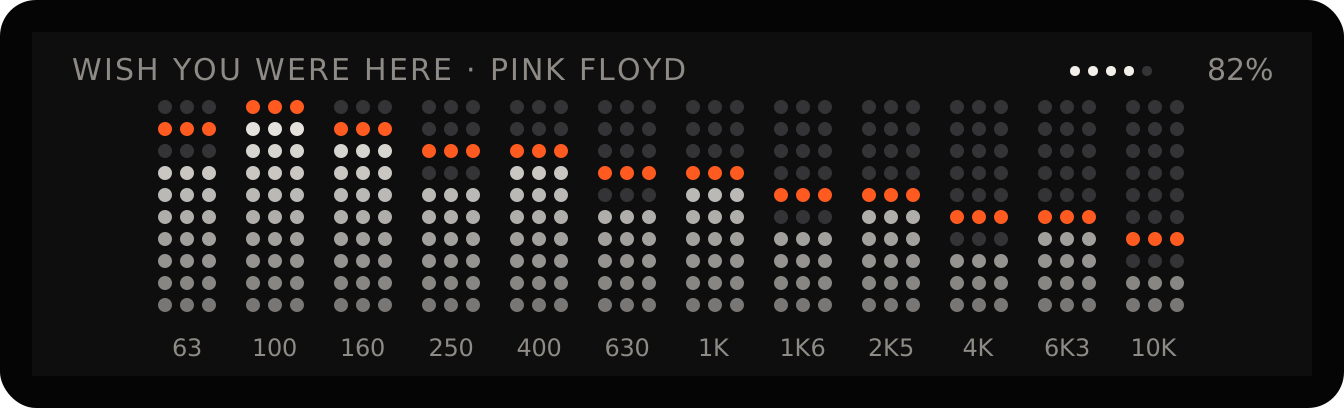
A VU meter that listens.
Press PWR twice and the screen turns into twelve bands from 63 Hz to 10 kHz, each with an orange peak that holds and falls. It listens through the display's own microphone, so it shows the sound in the room rather than the signal: talking moves it too, and it adjusts itself to how loud you play. From sound to screen takes a few hundredths of a second. Press PWR twice again, or switch it in the display's settings.
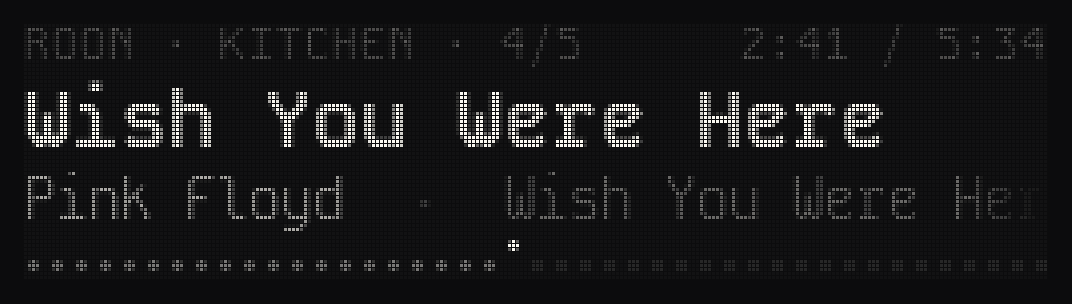
Or a small OLED.
Firmware for an ESP32-C3 SuperMini and a 256×64 SSD1322 OLED. Sixteen shades of grey, the same row of dots, a clock when nothing plays. Add a four-key pad for play/pause, skip and volume; everything else is on its web page, and it updates itself.
Source on GitHub → OLED firmware →Get one running.
No Arduino needed.
- Install. Plug the board in over USB and press Install from the browser on the touch bar or OLED firmware page (Chrome or Edge).
- Connect. The display opens its own Wi-Fi with a QR code. Join it from your phone and pick your network.
- Point it at Track Fly. It finds Track Fly for Mac or Track Fly Server on the network by itself, or type its address on the display's web page.